community integration
Turning an acquired standalone Community product into a native part of an enterprise LMS, generating ~$1.5M in ARR.
2023 – 2024
<contribution>
Product design, ux/ui
<impact>
~$1.5M in ARR
<tools>
Figma, Maze, Gemini, Glean, ChatGPT

> impact
Since Community launched:
Generated ~$1.5M in ARR, establishing Community as a proven, monetizable add-on to the core LMS
Accounts with Community activated grew by 9% quarter-over-quarter
Users created 1,210 pieces of content (posts + comments) per month
Monthly page views reached 140K
> context & problem
The LMS platform acquired a standalone Community product to extend learning beyond formal courses, enabling peer interaction, knowledge sharing, and social learning around training content.
Problem:
Integrate the acquired Community product into the LMS platform by redesigning and adapting it into a native experience, seamlessly embedded into the broader product ecosystem – creating value for learners while enabling enterprise admins to configure, govern, and scale communities effectively.
Business goals:
Increase retention and platform stickiness beyond course completion
Create a new monetizable add-on module
Differentiate from competitors. Most LMS platforms lack native social/community features tied to training
Increase account-level engagement and usage depth
> my role
Sole designer on the Community team, responsible for the full redesign and integration into the LMS platform's design system.
Led the end-to-end design process for all integration features, both user-facing and admin-facing, from discovery to delivery
Partnered closely with the PM to define integration strategy and contributed to roadmap prioritization
Contributed to the design system, extending it with components missing to support Community's needs
Worked cross-functionally with Research, Design Systems, QA, and Accessibility teams
Collaborated directly with engineers to navigate the platform's technical constraints
> challenges
Two different ecosystems. Community came with its own design system and interaction patterns, all needing to be reconciled with the LMS's existing system.
Mapping roles and permissions to the LMS. One of the main challenges was reworking Community's structure and logic to match the LMS's more complex role and permission system; this wasn't just a redesign, but required changing the underlying UX and logic in parts of the product to fit the new context
New problem spaces. New user groups and enterprise use cases that the LMS design system wasn't originally built to handle.
Cross-stakeholder alignment. Coordinating across Research, Design Systems, QA, Accessibility, and Engineering to keep integration work consistent.
Scoping for MVP. Prioritizing which features to include first, balancing completeness against a realistic release timeline.
> discovery
I started by auditing the existing experience and uncovering integration opportunities:
Audited the existing Community product
Analyzed existing LMS patterns and workflows
Conducted customer interviews with PM and UX Research
Evaluated competitors to identify opportunities for each feature
Mapped admin and user journeys
Together with the Design System Manager, I mapped the LMS design system against Community's design system, identifying what matched, what partly matched, and what was completely missing. This gave us a clear, strategic view of the integration's complexity at the component level.


I closely collaborated with PM and UX Research, actively participating in 20+ customer interviews and focus groups to collect customer requests, use cases, and needs.
This research directly informed the roadmap and helped prioritize what to build first.
> define
Research insights were synthesized into key user needs and product problem statements.
Admins needed more control, flexibility, and consistency in managing community configuration, permissions, and scalability within the LMS.
Learners and community members needed a simple, seamless way to engage in discussions, access knowledge, and interact with peers.
It also became clear that communities serve different use cases:
Customer-facing communities
Internal knowledge sharing
Cohort-based learning
Expert-led discussions
The product needed flexibility without creating complexity.
Problem framing:
The goal was to define a scalable community system that works across multiple contexts without increasing complexity.
Narrowing and prioritizing features:
Admin experience:
Activation of Community (single domain, multi-domain, power-user scenarios)
Community configuration (permissions, moderation, spaces management, chats, gamification badges, notifications, customization)
Spaces configuration (customization, visibility, permissions)
User experience:
Community home feed & spaces feed
Posts & comments
Post composer
User profiles
Chats
> constraints & requirements
We moved feature by feature, validating assumptions and aligning with stakeholders where needed.
A key constraint was that several capabilities (e.g. badges, notifications, permissions) already existed at LMS level, so we had to integrate them into the Community experience without duplicating logic or breaking existing system behavior.
This meant requirements were shaped not only by user needs, but also by platform constraints:
reuse of existing LMS functionality
consistency with existing governance and permission models
alignment of notifications and gamification systems
> success metrics
Activation: increase in successfully launched communities within LMS
Engagement: growth in active users, posts, comments, and repeat participation
Feature adoption: usage of spaces, chat, moderation, badges, and notifications
> strategy
Make it feel native and consistent
Align Community with the LMS design system, interaction patterns, navigation, and accessibility standards.Enable enterprise scalability
Support complex organizations through flexible roles, permissions, and configuration models.Connect learning and collaboration
Embed discussions and community interactions directly into the learner journey.
> solutions
Admin experience
Multi-domain & single-domain activation
Community's model didn't match how the LMS structures domains, and it didn't cover enterprise use cases. I designed activation and assignment scenarios for both single-domain and multi-domain accounts.

Power-user states
Power users needed more access without full admin rights, and Community had no restricted admin tier. I designed power-user scenarios with scoped permissions in the admin panel.

General settings
The LMS already had systems for badges and notifications. I extended them with Community events, added quick actions to activate pre-made Community badges and notifications, and created a set of illustrated Community badges.

Spaces management
Community's visibility model ignored the LMS branch and group structure, and admins couldn't delegate management of individual spaces, something enterprise customers kept asking for. I designed visibility controls based on branches and groups, and introduced space managers so admins could hand off work without giving up control. I gave space managers moderation tools scoped to their own space, spreading the workload beyond central admins.

Management inside the product
Admin settings had to stay in the existing LMS admin panel, but admins also needed to act from inside Community. I grouped the relevant shortcuts into one entry point, so a task spread across several surfaces felt like one flow. I also designed in-context admin flows: assigning managers and moderators, editing spaces, and admin-only visible states such as user's branch and group.


Learner experience
Posts and comments
The LMS design system had no components for posts or comments. I designed both as reusable components, built to work beyond this feature.
Show home feed and space feed (before/after)
Show post page (before/after)


User profile
Badges lived in the LMS but had no place in a user's Community identity. I added them to the profile, linking learning achievements to Community presence, and introduced new Community-specific badges.

Error states and edge cases
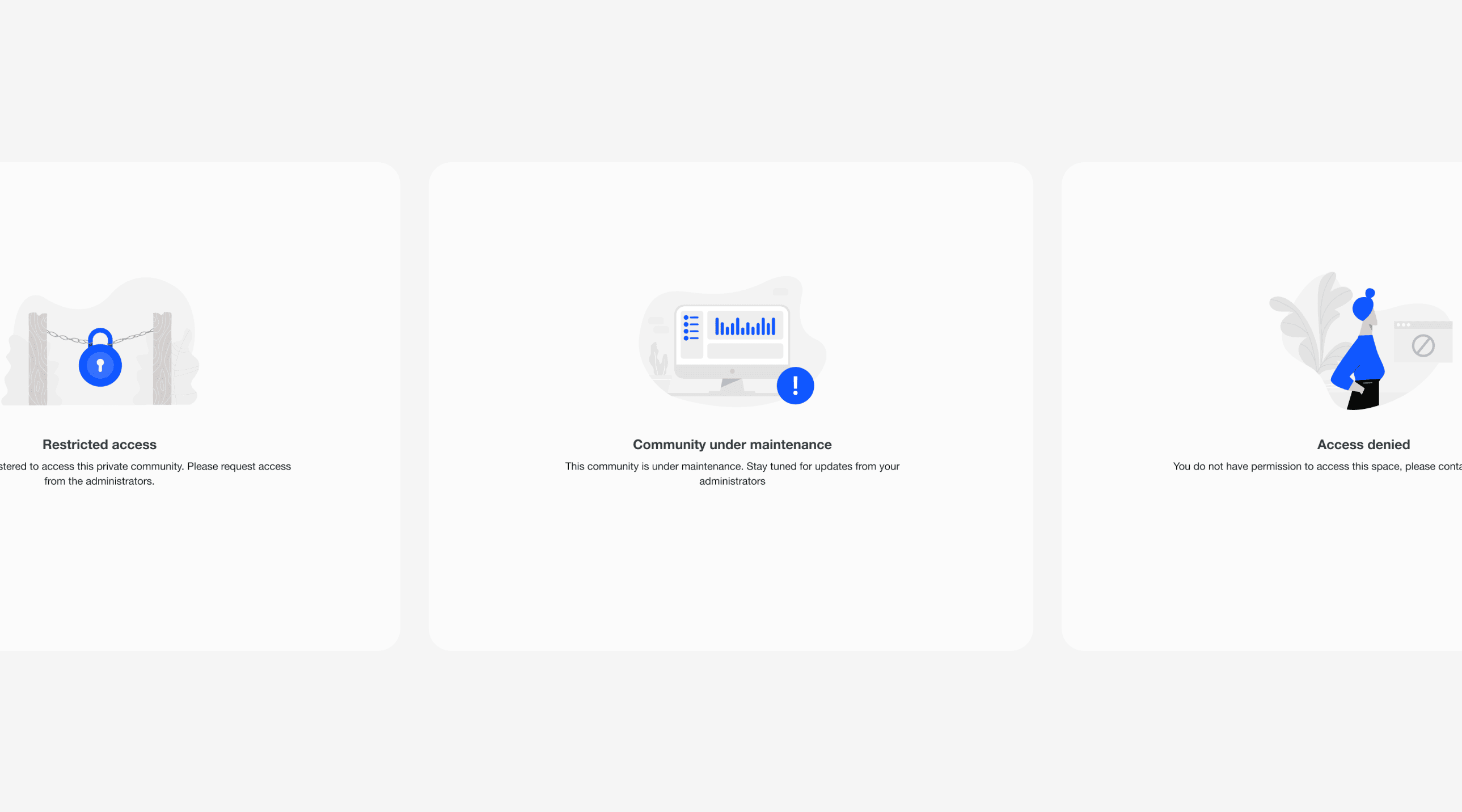
I designed error states and mapped edge cases, reducing potential friction across user flows.
> validation
Throughout the project, my team continuously collected feedback and prioritized improvements and new requests in the roadmap. I presented concepts and validated them with customers through client interviews, and ran 5+ usability testing sessions.
For example, for the space management feature, I observed users interacting with prototypes to surface usability issues. Testing revealed that users expected space manager permissions to live alongside the existing moderation rules, so we combined moderation and management settings into one area, while keeping space manager assignment inside each space's own settings, matching where the decision actually belonged. After iterating, the second round showed a higher task success rate.
> reflection
This was my first experience working at this level of product complexity and system thinking. I had to navigate complex permission models, interconnected product logic, and multiple enterprise use cases, while continuously aligning with cross-functional teams to ensure consistency and shared understanding across the system.

▼ other cases

Built with ❤︎ in Framer + Claude
20:50:01
9/29/2026
community integration
Turning an acquired standalone Community product into a native part of an enterprise LMS, generating ~$1.5M in ARR.
2023 – 2024
<contribution>
Product design, ux/ui
<impact>
~$1.5M in ARR
<tools>
Figma, Maze, Gemini, Glean, ChatGPT
> impact
Since Community launched:
Generated ~$1.5M in ARR, establishing Community as a proven, monetizable add-on to the core LMS
Accounts with Community activated grew by 9% quarter-over-quarter
Users created 1,210 pieces of content (posts + comments) per month
Monthly page views reached 140K
> context & problem
The LMS platform acquired a standalone Community product to extend learning beyond formal courses, enabling peer interaction, knowledge sharing, and social learning around training content.
Problem:
Integrate the acquired Community product into the LMS platform by redesigning and adapting it into a native experience, seamlessly embedded into the broader product ecosystem – creating value for learners while enabling enterprise admins to configure, govern, and scale communities effectively.
Business goals:
Increase retention and platform stickiness beyond course completion
Create a new monetizable add-on module
Differentiate from competitors. Most LMS platforms lack native social/community features tied to training
Increase account-level engagement and usage depth
> my role
Sole designer on the Community team, responsible for the full redesign and integration into the LMS platform's design system.
Led the end-to-end design process for all integration features, both user-facing and admin-facing, from discovery to delivery
Partnered closely with the PM to define integration strategy and contributed to roadmap prioritization
Contributed to the design system, extending it with components missing to support Community's needs
Worked cross-functionally with Research, Design Systems, QA, and Accessibility teams
Collaborated directly with engineers to navigate the platform's technical constraints
> challenges
Two different ecosystems. Community came with its own design system and interaction patterns, all needing to be reconciled with the LMS's existing system.
Mapping roles and permissions to the LMS. One of the main challenges was reworking Community's structure and logic to match the LMS's more complex role and permission system; this wasn't just a redesign, but required changing the underlying UX and logic in parts of the product to fit the new context
New problem spaces. New user groups and enterprise use cases that the LMS design system wasn't originally built to handle.
Cross-stakeholder alignment. Coordinating across Research, Design Systems, QA, Accessibility, and Engineering to keep integration work consistent.
Scoping for MVP. Prioritizing which features to include first, balancing completeness against a realistic release timeline.
> discovery
I started by auditing the existing experience and uncovering integration opportunities:
Audited the existing Community product
Analyzed existing LMS patterns and workflows
Conducted customer interviews with PM and UX Research
Evaluated competitors to identify opportunities for each feature
Mapped admin and user journeys
Together with the Design System Manager, I mapped the LMS design system against Community's design system, identifying what matched, what partly matched, and what was completely missing. This gave us a clear, strategic view of the integration's complexity at the component level.
I closely collaborated with PM and UX Research, actively participating in 20+ customer interviews and focus groups to collect customer requests, use cases, and needs.
This research directly informed the roadmap and helped prioritize what to build first.
> define
Research insights were synthesized into key user needs and product problem statements.
Admins needed more control, flexibility, and consistency in managing community configuration, permissions, and scalability within the LMS.
Learners and community members needed a simple, seamless way to engage in discussions, access knowledge, and interact with peers.
It also became clear that communities serve different use cases:
Customer-facing communities
Internal knowledge sharing
Cohort-based learning
Expert-led discussions
The product needed flexibility without creating complexity.
Problem framing:
The goal was to define a scalable community system that works across multiple contexts without increasing complexity.
Narrowing and prioritizing features:
Admin experience:
Activation of Community (single domain, multi-domain, power-user scenarios)
Community configuration (permissions, moderation, spaces management, chats, gamification badges, notifications, customization)
Spaces configuration (customization, visibility, permissions)
User experience:
Community home feed & spaces feed
Posts & comments
Post composer
User profiles
Chats
> constraints & requirements
We moved feature by feature, validating assumptions and aligning with stakeholders where needed.
A key constraint was that several capabilities (e.g. badges, notifications, permissions) already existed at LMS level, so we had to integrate them into the Community experience without duplicating logic or breaking existing system behavior.
This meant requirements were shaped not only by user needs, but also by platform constraints:
reuse of existing LMS functionality
consistency with existing governance and permission models
alignment of notifications and gamification systems
> success metrics
Activation: increase in successfully launched communities within LMS
Engagement: growth in active users, posts, comments, and repeat participation
Feature adoption: usage of spaces, chat, moderation, badges, and notifications
> strategy
Make it feel native and consistent
Align Community with the LMS design system, interaction patterns, navigation, and accessibility standards.Enable enterprise scalability
Support complex organizations through flexible roles, permissions, and configuration models.Connect learning and collaboration
Embed discussions and community interactions directly into the learner journey.
> solutions
Admin experience
Multi-domain & single-domain activation
Community's model didn't match how the LMS structures domains, and it didn't cover enterprise use cases. I designed activation and assignment scenarios for both single-domain and multi-domain accounts.
Power-user states
Power users needed more access without full admin rights, and Community had no restricted admin tier. I designed power-user scenarios with scoped permissions in the admin panel.
General settings
The LMS already had systems for badges and notifications. I extended them with Community events, added quick actions to activate pre-made Community badges and notifications, and created a set of illustrated Community badges.
Spaces management
Community's visibility model ignored the LMS branch and group structure, and admins couldn't delegate management of individual spaces, something enterprise customers kept asking for. I designed visibility controls based on branches and groups, and introduced space managers so admins could hand off work without giving up control. I gave space managers moderation tools scoped to their own space, spreading the workload beyond central admins.
Management inside the product
Admin settings had to stay in the existing LMS admin panel, but admins also needed to act from inside Community. I grouped the relevant shortcuts into one entry point, so a task spread across several surfaces felt like one flow. I also designed in-context admin flows: assigning managers and moderators, editing spaces, and admin-only visible states such as user's branch and group.
Learner experience
Posts and comments
The LMS design system had no components for posts or comments. I designed both as reusable components, built to work beyond this feature.
Show home feed and space feed (before/after)
Show post page (before/after)
User profile
Badges lived in the LMS but had no place in a user's Community identity. I added them to the profile, linking learning achievements to Community presence, and introduced new Community-specific badges.
Error states and edge cases
I designed error states and mapped edge cases, reducing potential friction across user flows.
> validation
Throughout the project, my team continuously collected feedback and prioritized improvements and new requests in the roadmap. I presented concepts and validated them with customers through client interviews, and ran 5+ usability testing sessions.
For example, for the space management feature, I observed users interacting with prototypes to surface usability issues. Testing revealed that users expected space manager permissions to live alongside the existing moderation rules, so we combined moderation and management settings into one area, while keeping space manager assignment inside each space's own settings, matching where the decision actually belonged. After iterating, the second round showed a higher task success rate.
> reflection
This was my first experience working at this level of product complexity and system thinking. I had to navigate complex permission models, interconnected product logic, and multiple enterprise use cases, while continuously aligning with cross-functional teams to ensure consistency and shared understanding across the system.
▼ other cases
Built with ❤︎ in Framer + Claude
20:50:01
9/29/2026
community integration
Turning an acquired standalone Community product into a native part of an enterprise LMS, generating ~$1.5M in ARR.
2023 – 2024
<contribution>
Product design, ux/ui
<impact>
~$1.5M in ARR
<tools>
Figma, Maze, Gemini, Glean, ChatGPT
> impact
Since Community launched:
Generated ~$1.5M in ARR, establishing Community as a proven, monetizable add-on to the core LMS
Accounts with Community activated grew by 9% quarter-over-quarter
Users created 1,210 pieces of content (posts + comments) per month
Monthly page views reached 140K
> context & problem
The LMS platform acquired a standalone Community product to extend learning beyond formal courses, enabling peer interaction, knowledge sharing, and social learning around training content.
Problem:
Integrate the acquired Community product into the LMS platform by redesigning and adapting it into a native experience, seamlessly embedded into the broader product ecosystem – creating value for learners while enabling enterprise admins to configure, govern, and scale communities effectively.
Business goals:
Increase retention and platform stickiness beyond course completion
Create a new monetizable add-on module
Differentiate from competitors. Most LMS platforms lack native social/community features tied to training
Increase account-level engagement and usage depth
> my role
Sole designer on the Community team, responsible for the full redesign and integration into the LMS platform's design system.
Led the end-to-end design process for all integration features, both user-facing and admin-facing, from discovery to delivery
Partnered closely with the PM to define integration strategy and contributed to roadmap prioritization
Contributed to the design system, extending it with components missing to support Community's needs
Worked cross-functionally with Research, Design Systems, QA, and Accessibility teams
Collaborated directly with engineers to navigate the platform's technical constraints
> challenges
Two different ecosystems. Community came with its own design system and interaction patterns, all needing to be reconciled with the LMS's existing system.
Mapping roles and permissions to the LMS. One of the main challenges was reworking Community's structure and logic to match the LMS's more complex role and permission system; this wasn't just a redesign, but required changing the underlying UX and logic in parts of the product to fit the new context
New problem spaces. New user groups and enterprise use cases that the LMS design system wasn't originally built to handle.
Cross-stakeholder alignment. Coordinating across Research, Design Systems, QA, Accessibility, and Engineering to keep integration work consistent.
Scoping for MVP. Prioritizing which features to include first, balancing completeness against a realistic release timeline.
> discovery
I started by auditing the existing experience and uncovering integration opportunities:
Audited the existing Community product
Analyzed existing LMS patterns and workflows
Conducted customer interviews with PM and UX Research
Evaluated competitors to identify opportunities for each feature
Mapped admin and user journeys
Together with the Design System Manager, I mapped the LMS design system against Community's design system, identifying what matched, what partly matched, and what was completely missing. This gave us a clear, strategic view of the integration's complexity at the component level.
I closely collaborated with PM and UX Research, actively participating in 20+ customer interviews and focus groups to collect customer requests, use cases, and needs.
This research directly informed the roadmap and helped prioritize what to build first.
> define
Research insights were synthesized into key user needs and product problem statements.
Admins needed more control, flexibility, and consistency in managing community configuration, permissions, and scalability within the LMS.
Learners and community members needed a simple, seamless way to engage in discussions, access knowledge, and interact with peers.
It also became clear that communities serve different use cases:
Customer-facing communities
Internal knowledge sharing
Cohort-based learning
Expert-led discussions
The product needed flexibility without creating complexity.
Problem framing:
The goal was to define a scalable community system that works across multiple contexts without increasing complexity.
Narrowing and prioritizing features:
Admin experience:
Activation of Community (single domain, multi-domain, power-user scenarios)
Community configuration (permissions, moderation, spaces management, chats, gamification badges, notifications, customization)
Spaces configuration (customization, visibility, permissions)
User experience:
Community home feed & spaces feed
Posts & comments
Post composer
User profiles
Chats
> constraints & requirements
We moved feature by feature, validating assumptions and aligning with stakeholders where needed.
A key constraint was that several capabilities (e.g. badges, notifications, permissions) already existed at LMS level, so we had to integrate them into the Community experience without duplicating logic or breaking existing system behavior.
This meant requirements were shaped not only by user needs, but also by platform constraints:
reuse of existing LMS functionality
consistency with existing governance and permission models
alignment of notifications and gamification systems
> success metrics
Activation: increase in successfully launched communities within LMS
Engagement: growth in active users, posts, comments, and repeat participation
Feature adoption: usage of spaces, chat, moderation, badges, and notifications
> strategy
Make it feel native and consistent
Align Community with the LMS design system, interaction patterns, navigation, and accessibility standards.Enable enterprise scalability
Support complex organizations through flexible roles, permissions, and configuration models.Connect learning and collaboration
Embed discussions and community interactions directly into the learner journey.
> solutions
Admin experience
Multi-domain & single-domain activation
Community's model didn't match how the LMS structures domains, and it didn't cover enterprise use cases. I designed activation and assignment scenarios for both single-domain and multi-domain accounts.
Power-user states
Power users needed more access without full admin rights, and Community had no restricted admin tier. I designed power-user scenarios with scoped permissions in the admin panel.
General settings
The LMS already had systems for badges and notifications. I extended them with Community events, added quick actions to activate pre-made Community badges and notifications, and created a set of illustrated Community badges.
Spaces management
Community's visibility model ignored the LMS branch and group structure, and admins couldn't delegate management of individual spaces, something enterprise customers kept asking for. I designed visibility controls based on branches and groups, and introduced space managers so admins could hand off work without giving up control. I gave space managers moderation tools scoped to their own space, spreading the workload beyond central admins.
Management inside the product
Admin settings had to stay in the existing LMS admin panel, but admins also needed to act from inside Community. I grouped the relevant shortcuts into one entry point, so a task spread across several surfaces felt like one flow. I also designed in-context admin flows: assigning managers and moderators, editing spaces, and admin-only visible states such as user's branch and group.
Learner experience
Posts and comments
The LMS design system had no components for posts or comments. I designed both as reusable components, built to work beyond this feature.
Show home feed and space feed (before/after)
Show post page (before/after)
User profile
Badges lived in the LMS but had no place in a user's Community identity. I added them to the profile, linking learning achievements to Community presence, and introduced new Community-specific badges.
Error states and edge cases
I designed error states and mapped edge cases, reducing potential friction across user flows.
> validation
Throughout the project, my team continuously collected feedback and prioritized improvements and new requests in the roadmap. I presented concepts and validated them with customers through client interviews, and ran 5+ usability testing sessions.
For example, for the space management feature, I observed users interacting with prototypes to surface usability issues. Testing revealed that users expected space manager permissions to live alongside the existing moderation rules, so we combined moderation and management settings into one area, while keeping space manager assignment inside each space's own settings, matching where the decision actually belonged. After iterating, the second round showed a higher task success rate.
> reflection
This was my first experience working at this level of product complexity and system thinking. I had to navigate complex permission models, interconnected product logic, and multiple enterprise use cases, while continuously aligning with cross-functional teams to ensure consistency and shared understanding across the system.
▼ other cases
Built with ❤︎ in Framer + Claude
20:50:01
9/29/2026
community integration
Turning an acquired standalone Community product into a native part of an enterprise LMS, generating ~$1.5M in ARR.
2023 – 2024
<contribution>
Product design, ux/ui
<impact>
~$1.5M in ARR
<tools>
Figma, Maze, Gemini, Glean, ChatGPT
> impact
Since Community launched:
Generated ~$1.5M in ARR, establishing Community as a proven, monetizable add-on to the core LMS
Accounts with Community activated grew by 9% quarter-over-quarter
Users created 1,210 pieces of content (posts + comments) per month
Monthly page views reached 140K
> context & problem
The LMS platform acquired a standalone Community product to extend learning beyond formal courses, enabling peer interaction, knowledge sharing, and social learning around training content.
Problem:
Integrate the acquired Community product into the LMS platform by redesigning and adapting it into a native experience, seamlessly embedded into the broader product ecosystem – creating value for learners while enabling enterprise admins to configure, govern, and scale communities effectively.
Business goals:
Increase retention and platform stickiness beyond course completion
Create a new monetizable add-on module
Differentiate from competitors. Most LMS platforms lack native social/community features tied to training
Increase account-level engagement and usage depth
> my role
Sole designer on the Community team, responsible for the full redesign and integration into the LMS platform's design system.
Led the end-to-end design process for all integration features, both user-facing and admin-facing, from discovery to delivery
Partnered closely with the PM to define integration strategy and contributed to roadmap prioritization
Contributed to the design system, extending it with components missing to support Community's needs
Worked cross-functionally with Research, Design Systems, QA, and Accessibility teams
Collaborated directly with engineers to navigate the platform's technical constraints
> challenges
Two different ecosystems. Community came with its own design system and interaction patterns, all needing to be reconciled with the LMS's existing system.
Mapping roles and permissions to the LMS. One of the main challenges was reworking Community's structure and logic to match the LMS's more complex role and permission system; this wasn't just a redesign, but required changing the underlying UX and logic in parts of the product to fit the new context
New problem spaces. New user groups and enterprise use cases that the LMS design system wasn't originally built to handle.
Cross-stakeholder alignment. Coordinating across Research, Design Systems, QA, Accessibility, and Engineering to keep integration work consistent.
Scoping for MVP. Prioritizing which features to include first, balancing completeness against a realistic release timeline.
> discovery
I started by auditing the existing experience and uncovering integration opportunities:
Audited the existing Community product
Analyzed existing LMS patterns and workflows
Conducted customer interviews with PM and UX Research
Evaluated competitors to identify opportunities for each feature
Mapped admin and user journeys
Together with the Design System Manager, I mapped the LMS design system against Community's design system, identifying what matched, what partly matched, and what was completely missing. This gave us a clear, strategic view of the integration's complexity at the component level.
I closely collaborated with PM and UX Research, actively participating in 20+ customer interviews and focus groups to collect customer requests, use cases, and needs.
This research directly informed the roadmap and helped prioritize what to build first.
> define
Research insights were synthesized into key user needs and product problem statements.
Admins needed more control, flexibility, and consistency in managing community configuration, permissions, and scalability within the LMS.
Learners and community members needed a simple, seamless way to engage in discussions, access knowledge, and interact with peers.
It also became clear that communities serve different use cases:
Customer-facing communities
Internal knowledge sharing
Cohort-based learning
Expert-led discussions
The product needed flexibility without creating complexity.
Problem framing:
The goal was to define a scalable community system that works across multiple contexts without increasing complexity.
Narrowing and prioritizing features:
Admin experience:
Activation of Community (single domain, multi-domain, power-user scenarios)
Community configuration (permissions, moderation, spaces management, chats, gamification badges, notifications, customization)
Spaces configuration (customization, visibility, permissions)
User experience:
Community home feed & spaces feed
Posts & comments
Post composer
User profiles
Chats
> constraints & requirements
We moved feature by feature, validating assumptions and aligning with stakeholders where needed.
A key constraint was that several capabilities (e.g. badges, notifications, permissions) already existed at LMS level, so we had to integrate them into the Community experience without duplicating logic or breaking existing system behavior.
This meant requirements were shaped not only by user needs, but also by platform constraints:
reuse of existing LMS functionality
consistency with existing governance and permission models
alignment of notifications and gamification systems
> success metrics
Activation: increase in successfully launched communities within LMS
Engagement: growth in active users, posts, comments, and repeat participation
Feature adoption: usage of spaces, chat, moderation, badges, and notifications
> strategy
Make it feel native and consistent
Align Community with the LMS design system, interaction patterns, navigation, and accessibility standards.Enable enterprise scalability
Support complex organizations through flexible roles, permissions, and configuration models.Connect learning and collaboration
Embed discussions and community interactions directly into the learner journey.
> solutions
Admin experience
Multi-domain & single-domain activation
Community's model didn't match how the LMS structures domains, and it didn't cover enterprise use cases. I designed activation and assignment scenarios for both single-domain and multi-domain accounts.
Power-user states
Power users needed more access without full admin rights, and Community had no restricted admin tier. I designed power-user scenarios with scoped permissions in the admin panel.
General settings
The LMS already had systems for badges and notifications. I extended them with Community events, added quick actions to activate pre-made Community badges and notifications, and created a set of illustrated Community badges.
Spaces management
Community's visibility model ignored the LMS branch and group structure, and admins couldn't delegate management of individual spaces, something enterprise customers kept asking for. I designed visibility controls based on branches and groups, and introduced space managers so admins could hand off work without giving up control. I gave space managers moderation tools scoped to their own space, spreading the workload beyond central admins.
Management inside the product
Admin settings had to stay in the existing LMS admin panel, but admins also needed to act from inside Community. I grouped the relevant shortcuts into one entry point, so a task spread across several surfaces felt like one flow. I also designed in-context admin flows: assigning managers and moderators, editing spaces, and admin-only visible states such as user's branch and group.
Learner experience
Posts and comments
The LMS design system had no components for posts or comments. I designed both as reusable components, built to work beyond this feature.
Show home feed and space feed (before/after)
Show post page (before/after)
User profile
Badges lived in the LMS but had no place in a user's Community identity. I added them to the profile, linking learning achievements to Community presence, and introduced new Community-specific badges.
Error states and edge cases
I designed error states and mapped edge cases, reducing potential friction across user flows.
> validation
Throughout the project, my team continuously collected feedback and prioritized improvements and new requests in the roadmap. I presented concepts and validated them with customers through client interviews, and ran 5+ usability testing sessions.
For example, for the space management feature, I observed users interacting with prototypes to surface usability issues. Testing revealed that users expected space manager permissions to live alongside the existing moderation rules, so we combined moderation and management settings into one area, while keeping space manager assignment inside each space's own settings, matching where the decision actually belonged. After iterating, the second round showed a higher task success rate.
> reflection
This was my first experience working at this level of product complexity and system thinking. I had to navigate complex permission models, interconnected product logic, and multiple enterprise use cases, while continuously aligning with cross-functional teams to ensure consistency and shared understanding across the system.
▼ other cases
Built with ❤︎ in Framer + Claude
20:50:01
9/29/2026